Types of Trends Mobile App Screen Set Explained
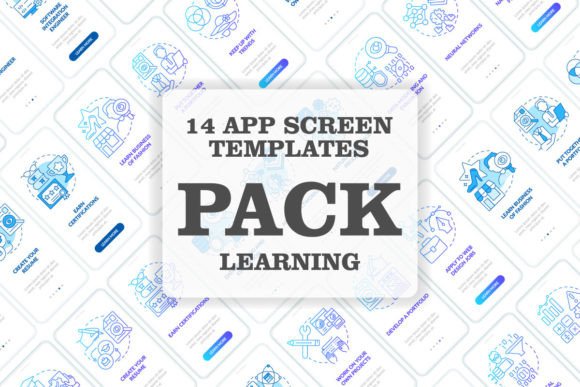
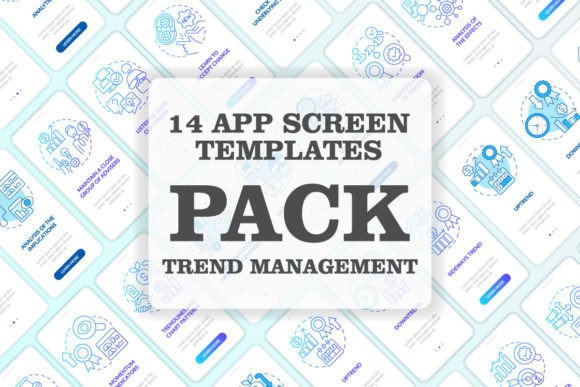
Whether you're prototyping a fintech platform, designing a health tracking tool, or building an e-commerce interface, one of the most time-intensive tasks is creating a cohesive and professional set of app screens. The Types of Trends Mobile App Screen Set addresses this challenge directly. It’s a curated collection of seven distinct mobile screen layouts, each built around modern linear concepts and designed to serve as a foundational template for a trading or data-driven application walkthrough.
Imagine you need to visually explain a multi-step process—like onboarding new users to a trading platform, guiding them through a financial workflow, or presenting editable graphic instructions for a complex task. This screen set provides a ready-made visual structure. Each screen is crafted with a focus on clarity and progression, using a clean UI that prioritizes user comprehension.
Core Characteristics and Notable Strengths
The set’s defining quality is its linear conceptual framework. This isn’t a random assortment of screens; it’s a sequenced flow. The designs guide the user from one step to the next logically, making them ideal for tutorials, process explanations, or any scenario where step-by-step instruction is key. The visual language is consistent, employing a sophisticated blue gradient palette across all seven screens, which creates immediate brand cohesion and a premium feel.
From a technical and aesthetic standpoint, the use of Myriad Pro-Bold and Myriad Pro-Regular fonts ensures typographic professionalism and readability. These fonts are versatile and widely respected in UI design for their clean lines and modern appearance. Furthermore, the set is provided as a product file in multiple formats—including EPS, AI, JPEG, SVG, and PNG—offering immense flexibility. You get print-ready versions on a white background and web-friendly assets on transparent backgrounds, allowing for seamless integration into any project environment.
Practical Applications Across Diverse Fields
The utility of the Types of Trends Mobile App Screen Set extends far beyond just app development. Professionals in marketing can adapt these screens to create compelling infographics or social media content that explains a service journey. Educators and trainers might use the editable graphics to build instructional materials or online course modules. Entrepreneurs can leverage the set to quickly visualize and pitch their app’s core functionality to stakeholders or investors without extensive design overhead.
For creators and freelancers, this resource accelerates project delivery. A blogger or publisher focusing on tech tutorials could use the screens as illustrative assets within articles. A business owner looking to improve internal tool documentation might implement the linear screen concepts to create clearer employee training guides. The set acts as a multipurpose GUI template, saving hours of custom design work while ensuring a polished, contemporary output.
Tangible Benefits for Your Projects
Implementing a pre-designed set like this translates to several concrete benefits. First is efficiency. Instead of starting from a blank canvas, you have a professional foundation that you can customize. This dramatically reduces design time, allowing you to focus on content, functionality, and business logic. Second is enhanced communication. The clear, linear layout inherently improves user experience by reducing cognitive load; users follow a visual story, which increases engagement and comprehension.
From a branding perspective, the consistent aesthetic—the blue gradients, the disciplined typography—helps establish a strong visual identity from day one. This cohesion builds trust and makes your digital product or communication feel more reliable and refined. For teams with limited design resources, having access to such a high-quality template can elevate the entire project’s appearance, bridging the gap between a prototype and a market-ready visual presentation.
Real-World Use Cases and Observations
Consider a startup developing a crypto wallet app. They need to explain the security setup process in five clear steps. Using this screen set, they can quickly populate each pre-structured screen with their specific copy and icons, resulting in a seamless tutorial flow within the app. Another example might be a corporate trainer creating a digital guide for a new sales software. The editable graphic instructions within the template allow them to insert custom screenshots and annotations, producing a professional training module without specialized design software skills.
When evaluating such resources for your own use, practical considerations are crucial. Assess the file formats provided against your team’s software capabilities—do you work primarily with Adobe Illustrator (AI/EPS) or require quick PNG imports for a web platform? Check the font usage: since Myriad Pro is used here, ensure your licensing permits its use for your final product, or plan to substitute it seamlessly if needed. Also, consider the scalability of the graphics; the vector formats (EPS, AI, SVG) are invaluable for resizing without quality loss, which is essential for responsive design across different devices and media.
Integrating Trends into Your Creative Workflow
Adopting template resources like the Types of Trends Mobile App Screen Set is a strategic choice. It’s about working smarter, not harder. To get the most value, treat the screens as a starting point for customization. Adjust colors if your brand palette differs, reorder the linear steps to match your unique process, and inject your specific content into the clean layout framework. This approach maintains design integrity while achieving complete relevance for your project.
It’s also worth noting that providers like BSD Studio, who offer such sets, often update their libraries with new topics and discounts weekly. Subscribing to their updates means staying current with the latest UI and UX template trends, which can continually fuel your creative or professional output. Whether you’re a seasoned developer, a marketer building a campaign, or a hobbyist exploring app design, having a repository of high-quality, ready-to-use components like this screen set can be a game-changer for productivity and polish.
Ultimately, the Types of Trends Mobile App Screen Set is more than just seven blue screens. It’s a structured solution for visual storytelling in digital environments. It empowers you to communicate complex, step-by-step information with clarity and style, removing a significant technical barrier and allowing you to concentrate on what matters most: your content, your users, and your goals.