The Power of a Neumorphic PowerPoint Template for Your Business Presentation
Presentations are the currency of modern business. Whether you're pitching to investors, reporting to stakeholders, or training your team, the quality of your slides directly influences how your message is received. Many professionals spend hours crafting content only to pair it with a dated, cluttered, or inconsistent template that undermines their authority. This is where a specialized design solution like the Creative Neumorphic PowerPoint Template becomes not just a cosmetic upgrade, but a strategic tool.
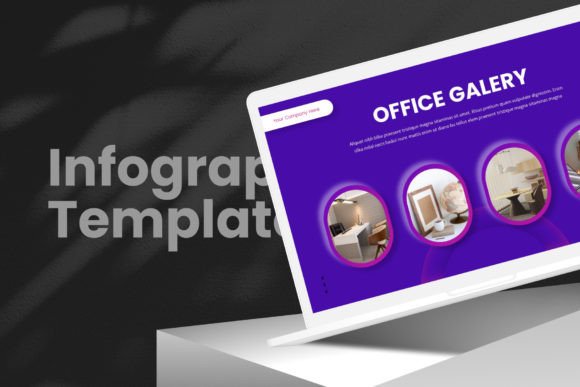
The Creative Neumorphic PowerPoint Template is a comprehensive deck built around the neumorphic design trend—a soft, minimalist UI style that uses subtle shadows and highlights to create a clean, modern, and tactile look. This aesthetic isn't just about beauty; it's about clarity and focus. A clean background and thoughtfully arranged elements guide your audience's attention to your content, not the design noise around it. For anyone needing to build a proposal pitch deck or a routine business presentation, this template provides a ready-made foundation for a professional appearance.
Common Pitfalls When Choosing a Presentation Template
Selecting a template is often a rushed decision. You might grab a free option online because it's quick, or choose an overly complex one because it looks "creative." These choices can backfire. A template that clashes with your brand, is difficult to edit, or lacks the necessary slide types will cost you more time and create a weaker final product than starting from a blank slate.
Overlooking the "Full Easy Editable" Promise
Many assume all templates are equally customizable. A common mistake is downloading a template with stunning graphics only to find you cannot easily change colors, alter layouts, or replace images without advanced software skills. The Creative Neumorphic PowerPoint Template highlights its full easy editable nature. This means vector shapes and elements can be modified directly in PowerPoint. If you don't verify this functionality beforehand, you might lock yourself into a rigid design that doesn't fit your specific data or imagery. Always test a sample slide: try changing a chart color or dragging and dropping to upload your own logo. True flexibility saves hours of frustrating work.
Misjudging the Scope of "All Essential Functions"
The template includes infographics, data charts, portfolio layouts, team work sections, price tables, and timelines. A misunderstanding here is thinking these are mere images. They are, in fact, functional PowerPoint elements. For instance, using a static image for a data chart instead of the provided editable chart means you cannot update figures for your next quarterly review. The better approach is to learn the built-in functions. Before your presentation, practice inputting your data into the template's chart slides. This ensures your presentation remains dynamic and accurate, enhancing both your efficiency and the credibility of your communication.
Practical Advice for Implementing the Template Successfully
To avoid these errors and maximize the value of the Creative Neumorphic PowerPoint Template, a methodical approach is key.
Start with the Master Slide
Professionals often dive into individual slides, tweaking fonts and colors on each page, leading to inconsistent formatting. The template includes master slide options. This is your control panel. Adjust your brand colors, set your preferred font families, and establish the default layout here first. Since the template uses free fonts with links provided in documentation, ensure you download and install those fonts before designing. This one step guarantees every new slide you add maintains a cohesive, professional look, elevating the overall quality of your work.
Utilize the Asset Library Wisely
The package comes with a vector icon library and a bonus of 1000 vector icons as shapes. A mistake is to overuse them, creating a visually busy slide. The corrective advice is to use icons as supportive visual cues. For example, in a timeline slide, use a simple icon for each milestone rather than multiple large images. The vector nature means you can scale them without quality loss and change their color to match your palette. This thoughtful application supports your narrative without overwhelming it.
Validate Responsiveness for Your Delivery Medium
The template features full responsive wide screen slides. This is crucial but easily overlooked. If you are presenting on a projector, a large monitor, or even via a video conferencing platform, you need to ensure your slides adapt correctly. Before your final presentation, view the slides on the actual screen or device you'll be using. Check that text margins are safe and graphics are not cropped. This simple check prevents last-minute panics and ensures your presentation's usability and visual impact remain intact across different setups.
What to Check Before Making Your Decision
Investing in any template requires a few verifications to ensure it matches your needs. For the Creative Neumorphic PowerPoint Template, consider these points.
First, review the 50-slide count against your typical presentation length. While it offers ample variety, if your standard deck is only 10 slides, you still benefit from a vast library of layouts for future needs. Conversely, if you regularly create 60-slide reports, ensure you can comfortably duplicate and modify the existing masters.
Second, confirm your presentation category. The template is suitable for business or any category, but its neumorphic, clean design is particularly effective for forward-thinking tech, creative, or professional service pitches where a modern aesthetic aligns with brand perception. If your industry expects very formal, traditional slides, you might need to adapt the color scheme to more conservative tones.
Finally, assess your own skill level. The template is designed for ease, but any new tool requires a learning period. Set aside an hour to explore its documentation, open all slide masters, and practice editing a complex slide like an infographic. This upfront time investment pays off in streamlined creation for every subsequent presentation, boosting your long-term satisfaction and results.
Moving Beyond a Single Presentation
The true value of a robust template like the Creative Neumorphic PowerPoint Template is its role as a consistent framework for your organization's communication. By adopting it as a standard, you ensure that every team member, from marketers to educators, produces work with a unified, professional appearance. It corrects the common mistake of having disjointed presentations from different departments. The solution-focused approach is to implement this template as a base, train your team on the master slides and vector library, and build a repository of commonly used slides. This turns a one-time purchase into an ongoing asset that improves quality, reduces cost, and strengthens your collective brand presentation.
In essence, choosing this template is a decision for clarity and efficiency. By avoiding the common pitfalls of template selection and usage, and applying the practical steps for setup and validation, you transform a simple slide deck into a powerful, persuasive business tool. Your content deserves a stage that amplifies its message, and a well-executed neumorphic design provides exactly that.